Until today, the homepage had an "Interested in Android?" button that sent me an email. Every one of those emails was a small vote for this version. That button is now a Google Play link.
What BuddyLog does on Android
If you haven't come across BuddyLog before: it's a friendship journal, sometimes called a friend log or a personal relationship manager for friends and family rather than sales contacts. You add the people who matter to you, then log the time you spend with them. Over time it turns into a record of each relationship, and it quietly tells you who you haven't seen in a while.
The Android app is a full version, not a lite one. It includes:
- People profiles with photos, birthdays, relationship tags, notes, and how you met. You can add people by hand or import them from your phone's contacts.
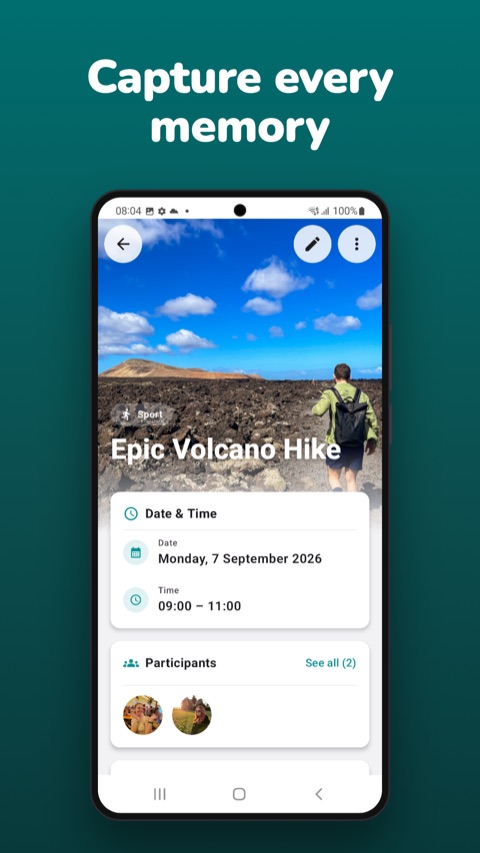
- Events and a calendar for every coffee, dinner, trip, or call, with who was there and where it happened.
- Notes and quotes tied to one person or several, so the inside joke lives on everyone's profile it belongs to.
- Check-in reminders and birthday notifications, for the people you told yourself you'd call more.
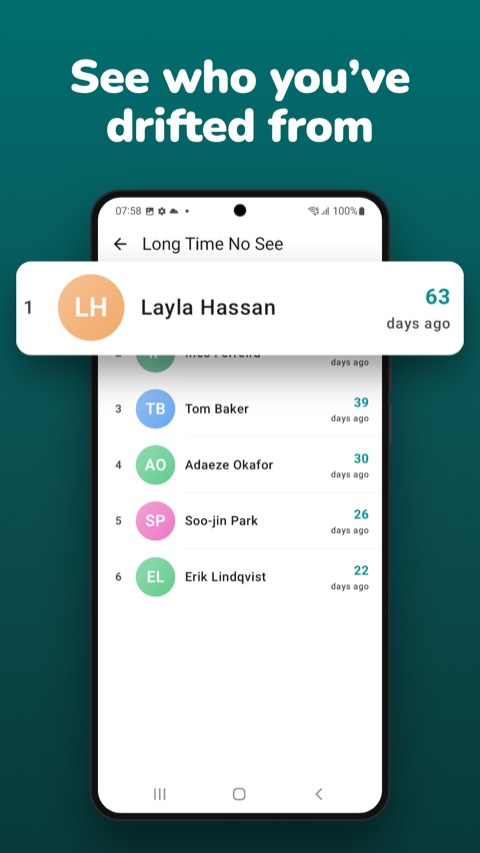
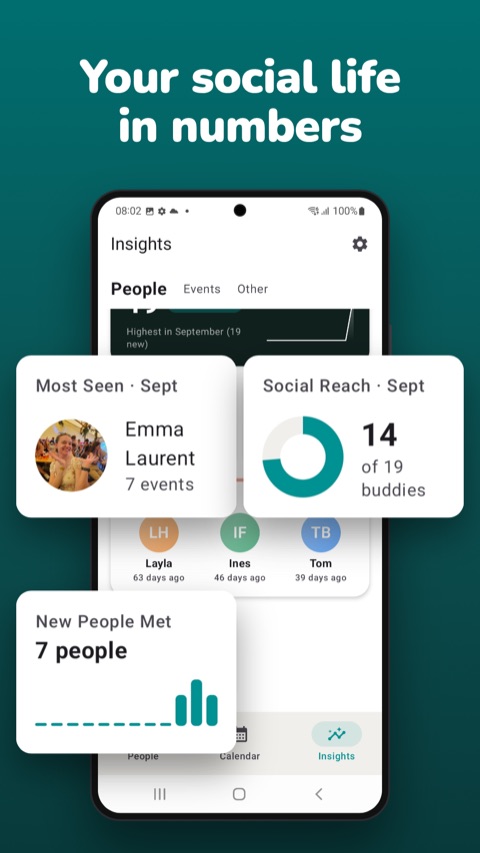
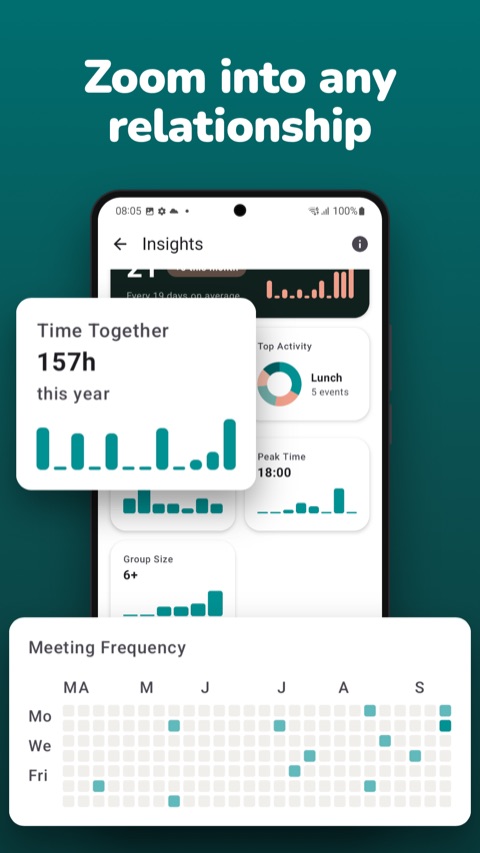
- Insights like Time Together, Meeting Frequency, Social Reach, and Long Time No See, which sorts your people by how many days it's been since you last saw them.
- Anniversaries and achievements, small milestones like how long you've known someone.
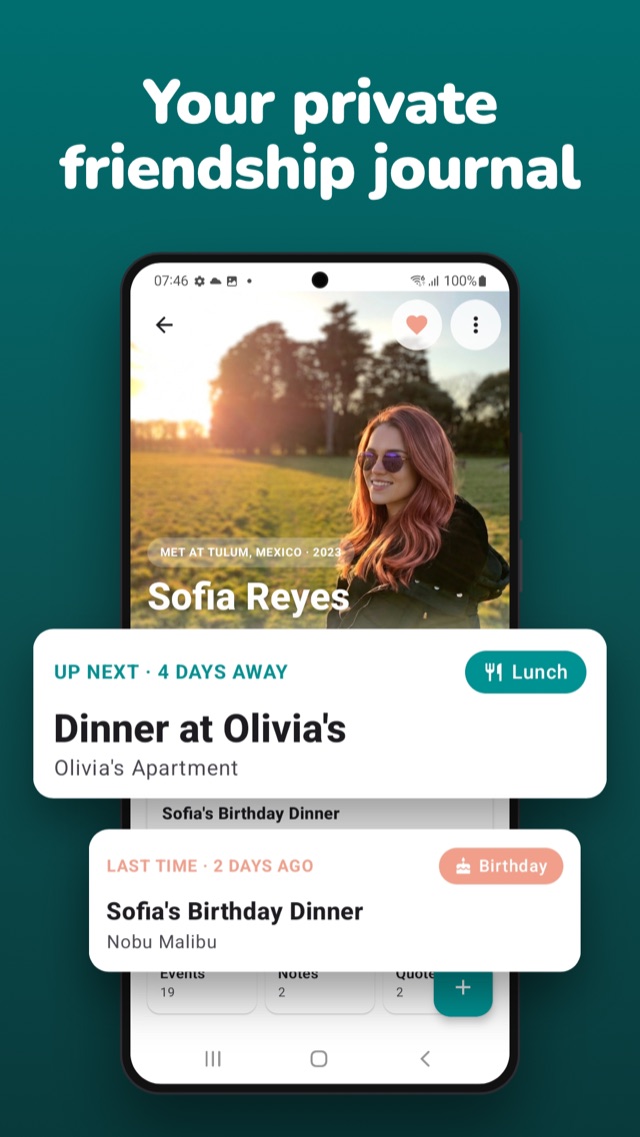
It's built natively for Android rather than as a wrapped copy of the iPhone app, so navigation, notifications, and the back gesture behave the way you'd expect on an Android phone.
What's different from the iPhone version
Almost everything works the same. The differences are worth spelling out, though, because one of them matters if you use both platforms.
No sync on Android. On iPhone and iPad, Premium users can turn on iCloud sync. That's an Apple service, so it doesn't reach Android. On Android, your journal lives on your phone and nowhere else. That also means an iPhone and an Android phone each keep their own separate journal: entries you add on one don't show up on the other.
No moving data between platforms yet. Premium users can export everything as JSON or PDF on either platform, which is useful as a backup, but the Android app can't import an export file. If you're switching from iPhone to Android, there's currently no way to bring your existing journal along.
No home screen widget. The iPhone version has widgets, like Time Together. Android doesn't have one yet.
Languages. The Android app is available in English, Spanish, and French.
Privacy works the same way
The reason BuddyLog exists in the first place is that notes about your closest people shouldn't live on someone else's server. That doesn't change on Android. There's no sign-up and no account. Everything you enter is stored in a local database on your phone, and I never see it.
Two things on Android do talk to Google, and the privacy policy covers both in detail. The address search field, used for event locations, is powered by the Google Places API, so the text you type into that field is sent to Google to find matching places. And like the iPhone app, BuddyLog uses Firebase Analytics and Crashlytics for anonymous usage stats and crash reports, which never include the people, notes, or events you've entered.
Free vs. Premium on Android
BuddyLog is free to download, and the free version has no limit on how many people or events you add. Premium unlocks the deeper features: full Insights charts and statistics, Quotes, Anniversaries, How We Met, and PDF and JSON export. Plans are monthly, quarterly, or yearly, and are billed through Google Play, so you manage or cancel them from the Play Store like any other subscription.
One thing to know if you already pay on iPhone: subscriptions belong to the store you bought them from. An App Store subscription unlocks Premium on iPhone and iPad, and a Google Play subscription unlocks it on Android. Since there's no BuddyLog account to connect the two, one doesn't carry over to the other.
If your friends were waiting for the Android version so they could try BuddyLog too, this is your cue to send them the link.
Frequently asked questions
Is BuddyLog available on Android?
Yes. BuddyLog is available for Android on Google Play, and for iPhone and iPad on the App Store. It's free to download on both.
Which Android versions does BuddyLog support?
BuddyLog runs on Android 8.0 (Oreo) and later.
Does BuddyLog sync between iPhone and Android?
No. On Android, your data is stored on your device only. iCloud sync is available to Premium users on iPhone and iPad, but it doesn't reach Android, so an iPhone and an Android phone each keep their own separate journal.
Can I move my BuddyLog data from iPhone to Android?
Not at the moment. Premium users can export their data as JSON or PDF on either platform, but the Android app can't import an export file yet.
Do I need an account to use BuddyLog on Android?
No. There's no sign-up and no account. Everything you enter stays on your phone.
If I bought Premium on iPhone, do I get it on Android?
No. Subscriptions are handled by each platform's store, so a Premium subscription bought through the App Store applies to iPhone and iPad, and one bought through Google Play applies to Android.
Anything else, or something that doesn't work the way it should on your phone? Email me at info@buddylog.app. Please include your phone model and Android version. The Android app is new, and early feedback shapes what gets fixed and built next.
BuddyLog on Android at a glance